
SASarah & Andrew · in sync

Run your home together.

Wedulting is the shared home base for couples. Chores, meals, groceries and a calendar you both actually look at, live on both phones, always in sync. No more coordination texts.

1 subscription2 phones0 nagging7 days free

Wedulting for iPhone is on the App Store. Android is coming soon.

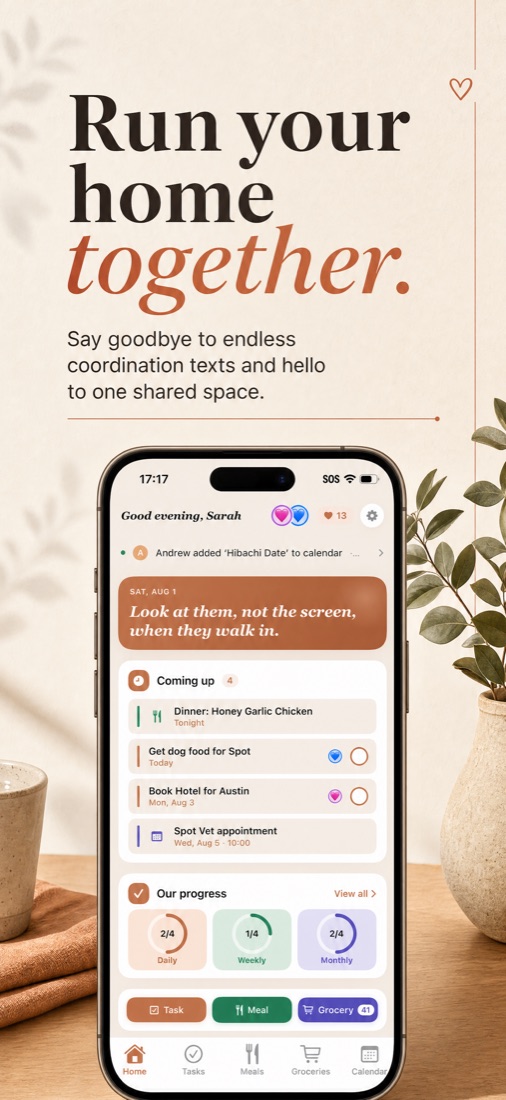
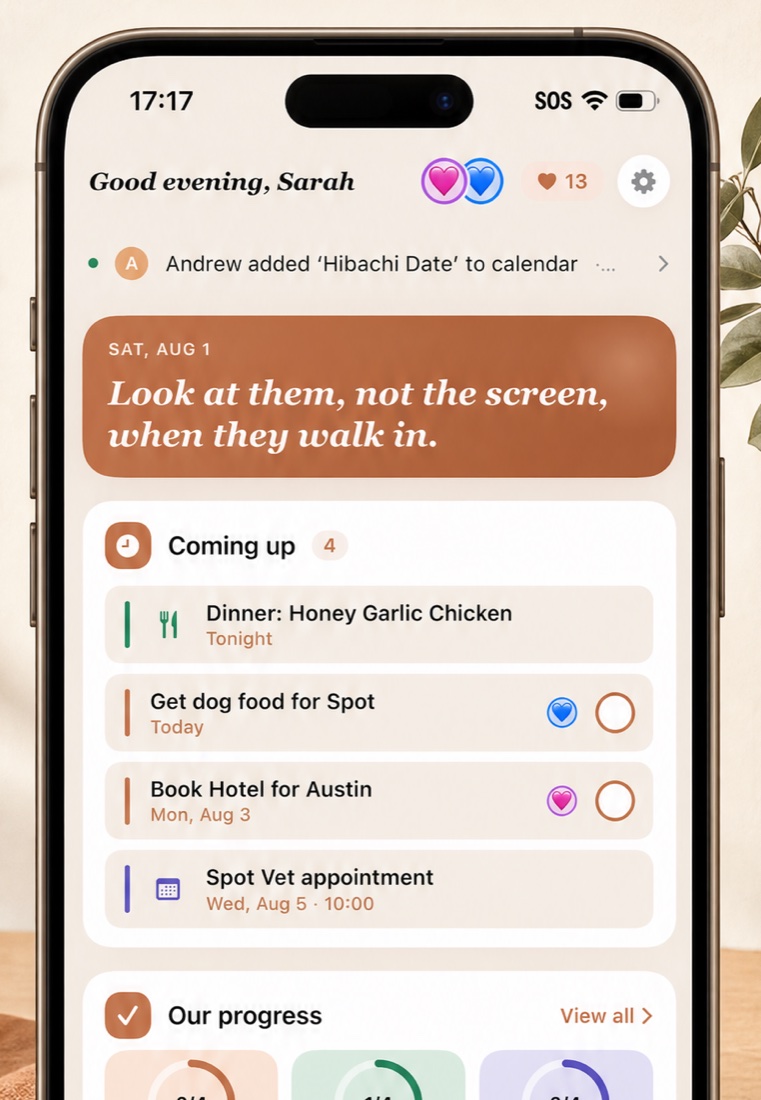
Wedulting's home screen: tonight's dinner, what's coming up, and shared progress rings
Sound familiar?

The texts you'll stop sending.

Sticky notes, group chats and mental load make it easy for things to slip between you. Wedulting gives both of you one place to see what's done, what's next and who's on it.

did you get milk??
wait, what time is the dentist
whose turn is the trash
what are we doing for dinner
🎉 Andrew checked off Vacuum kitchen
Try it

Check it off here. It's done there.

This is the real Tasks screen. Tap any circle on either phone and watch the other one update, the way it does between you and your partner.

Sarah's phone
17:17SOS ᯤ ▮

Tasks togetherSaturday · 4 left for today

♥ 13
✓To do2 active
What needs doing
Get dog food for Spot
Today
Book Hotel for Austin
Mon, Aug 3
+ Add task
↻Daily2/4 done
Today’s habits
Post Dinner Walk
Vacuum Kitchen
Clean the Countertops
Make the Beds
+ Add task
Andrew's phone
17:17SOS ᯤ ▮

Tasks togetherSaturday · 4 left for today

♥ 13
✓To do2 active
What needs doing
Get dog food for Spot
Today
Book Hotel for Austin
Mon, Aug 3
+ Add task
↻Daily2/4 done
Today’s habits
Post Dinner Walk
Vacuum Kitchen
Clean the Countertops
Make the Beds
+ Add task

Tap a task on either phone. Tap again to undo. The heart is your together count, and it only goes up.

Everything the app does

One app, two phones, zero nagging.

Every screen is shared. Whatever either of you adds shows up on the other phone the moment it's saved.

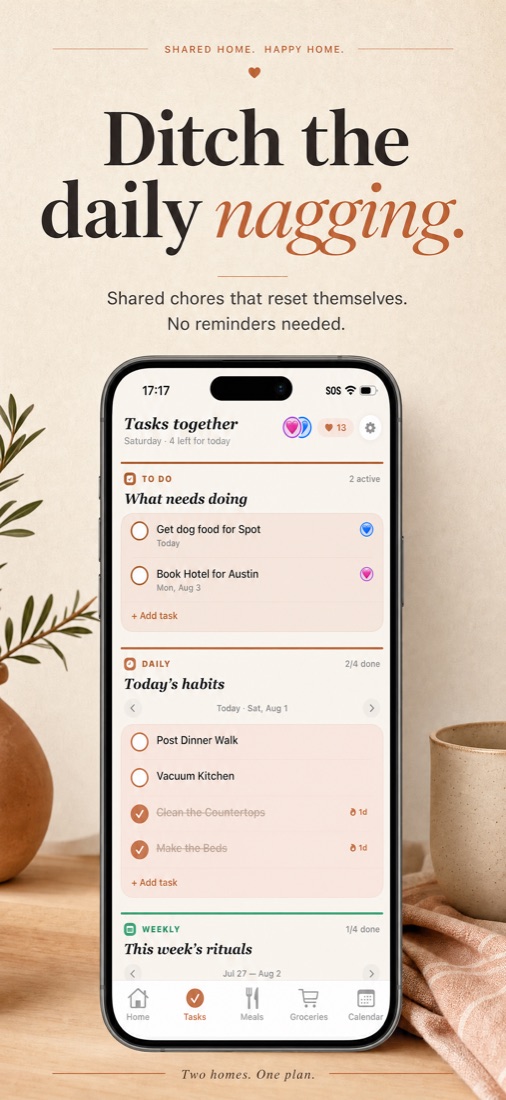
Tasks

Chores that reset themselves.

Add a chore, hand it to yourself or your partner, tap the circle when it's done. Recurring tasks come back on their own schedule so nothing falls through the cracks.

  • To-do, daily, weekly and monthly tasks, each with its own rhythm
  • One-time tasks can carry a due date
  • Press and hold to edit, reassign or delete
  • Streaks on habits you keep up, never a penalty when you don't
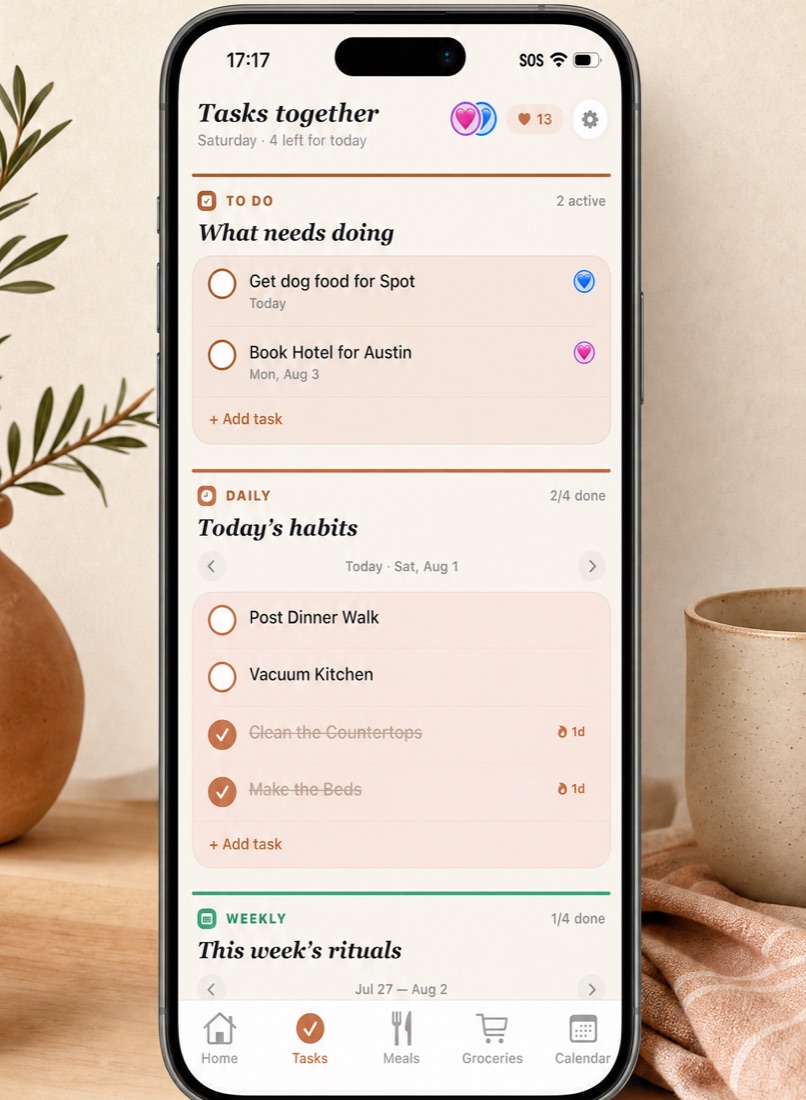
Tasks screen with to-do, daily and weekly sections
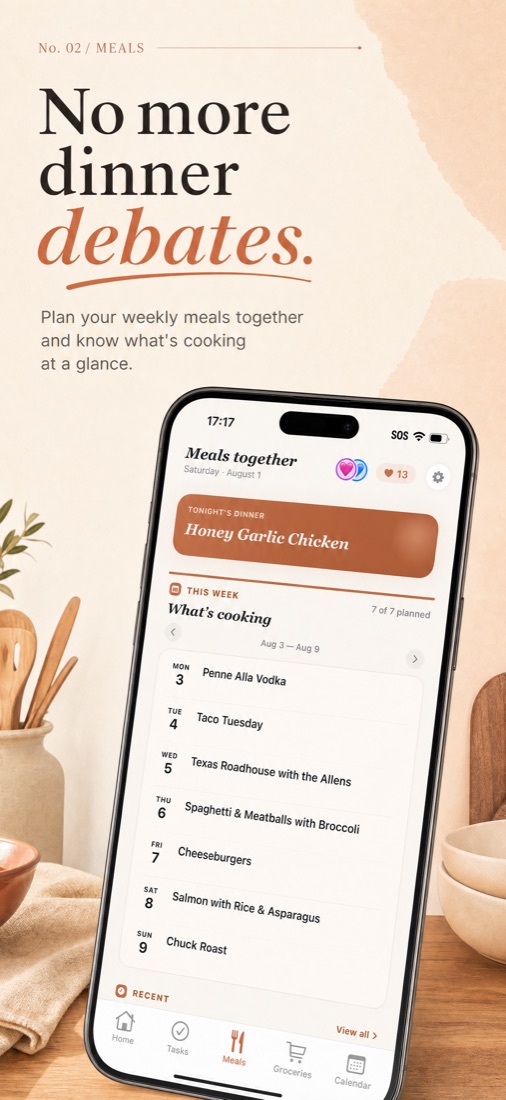
Meals

No more dinner debates.

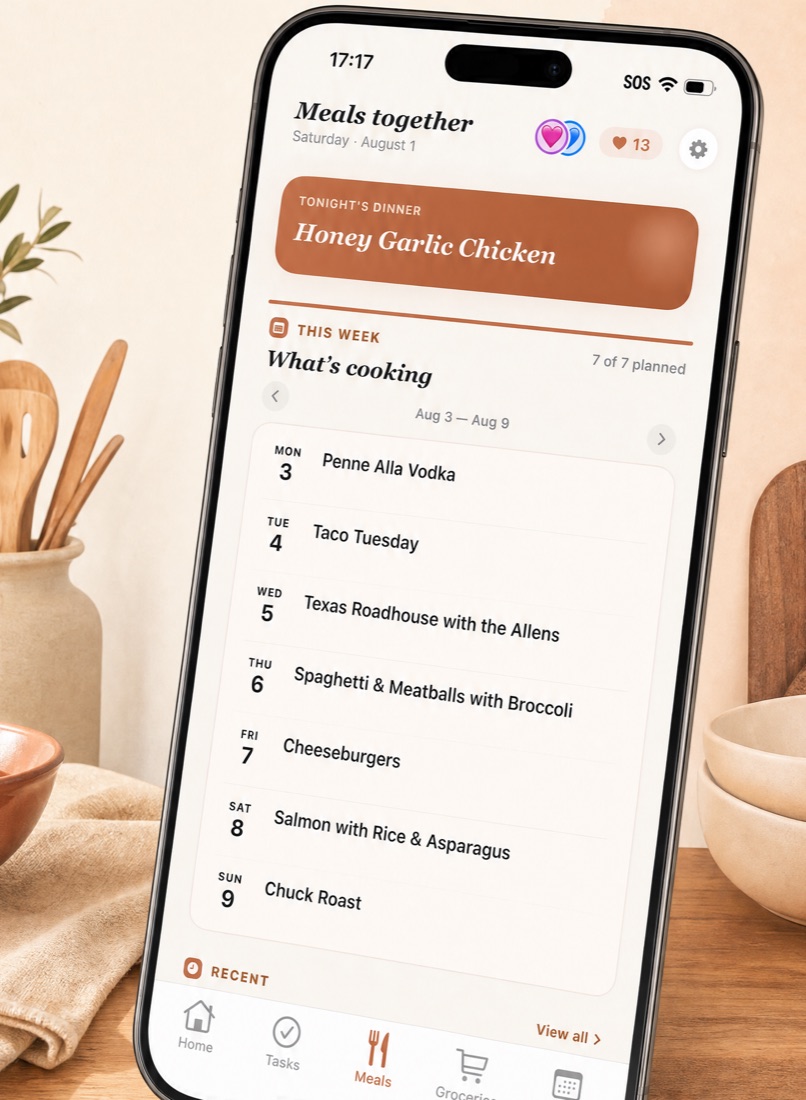
Tap a day, type what you're making, save it. Wedulting figures out the ingredients, you tick off what's already in the kitchen, and the rest goes straight onto the grocery list.

  • Plan the week together and see tonight's dinner on the home screen
  • AI ingredient extraction that knows what goes into the dish
  • Add or remove ingredients to match how you actually cook
  • A saved-meals library so your regulars are one tap away
Meals screen showing the week's dinners
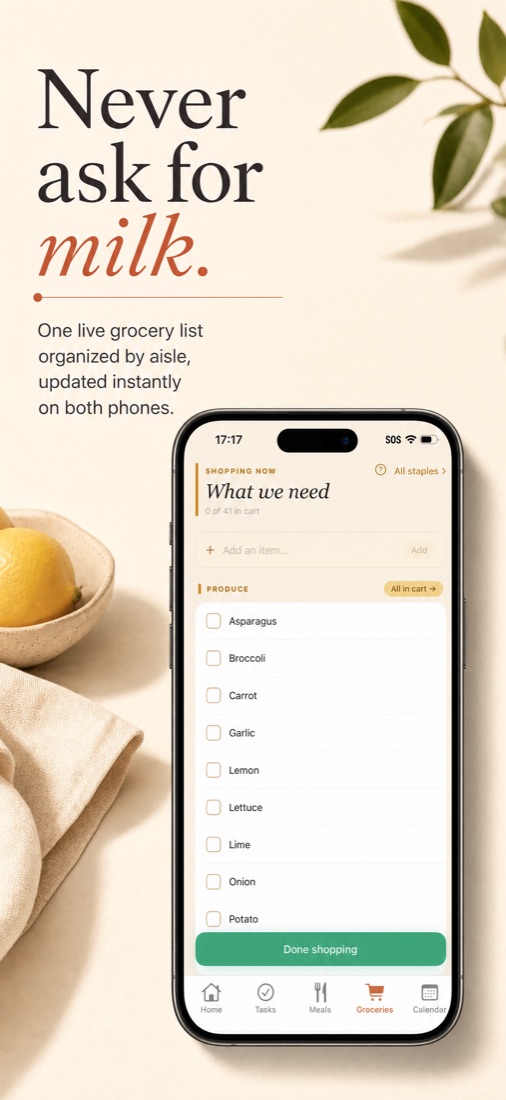
Groceries

Never ask for milk.

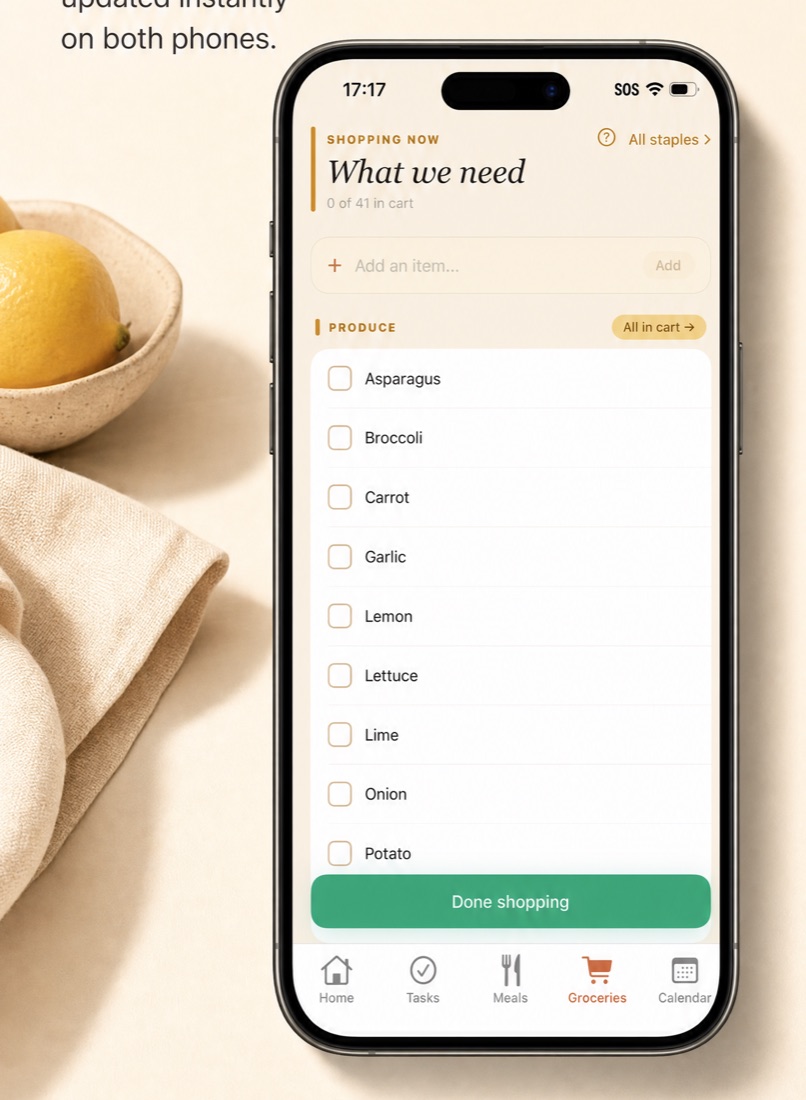
One live list, organized by aisle. Cross things off from either phone in real time, even when one of you is in the store and the other is at home.

  • Shopping mode: tap items as you grab them, then finish the trip in one tap
  • Staples: save what you buy often and re-add it instantly
  • Meals you plan feed the list automatically, with no duplicates
  • Undo a clear if you finish too early
Grocery list in shopping mode
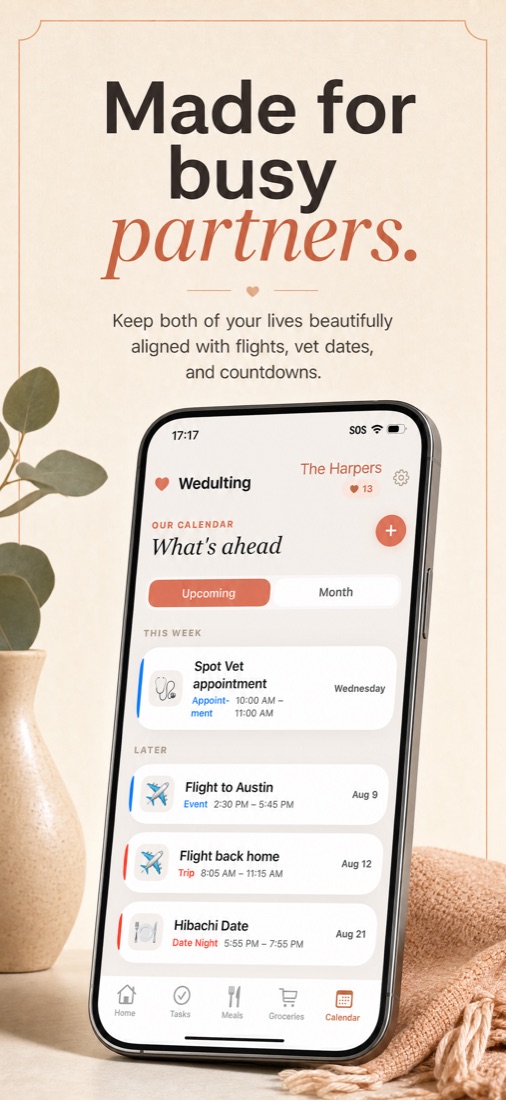
Calendar

Made for busy partners.

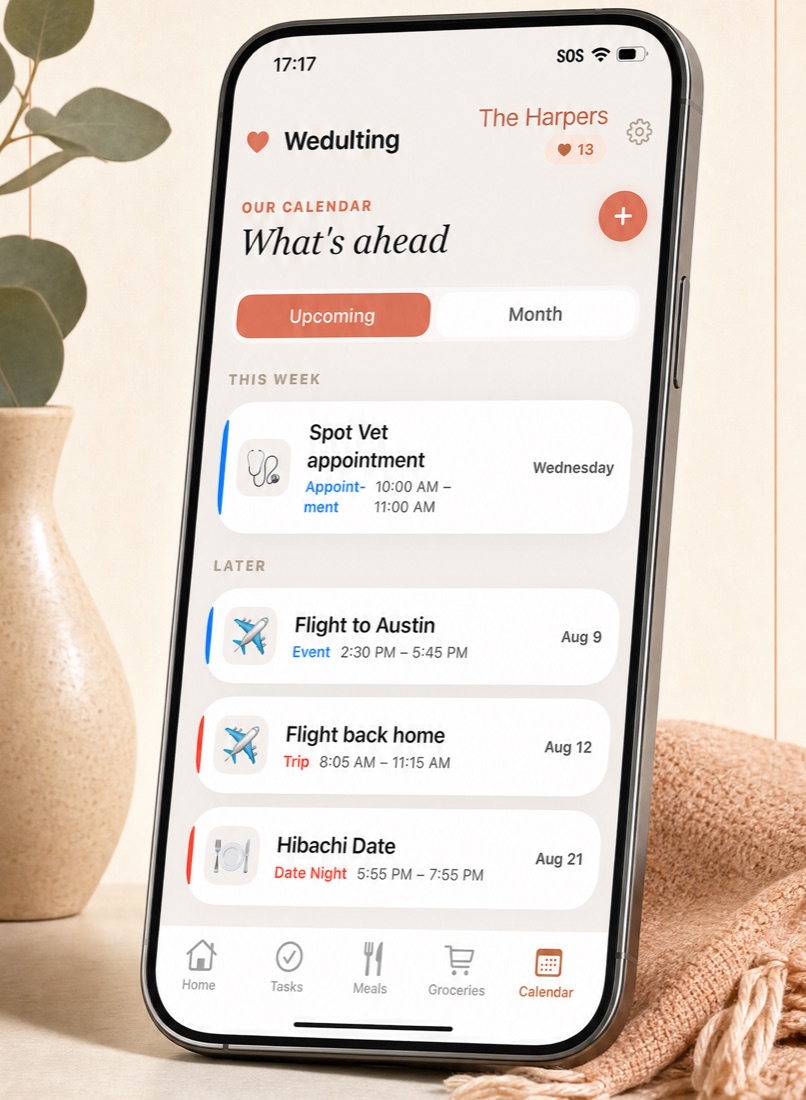
Appointments, trips, date nights and the big countdowns in one calendar, color-coded by who added them.

  • Upcoming and month views
  • Date nights, appointments, trips and events, each with its own look
  • Yearly repeats for birthdays and anniversaries, with countdowns on the home screen
  • "On this day" memories once you've been at it a while
Calendar screen with upcoming events
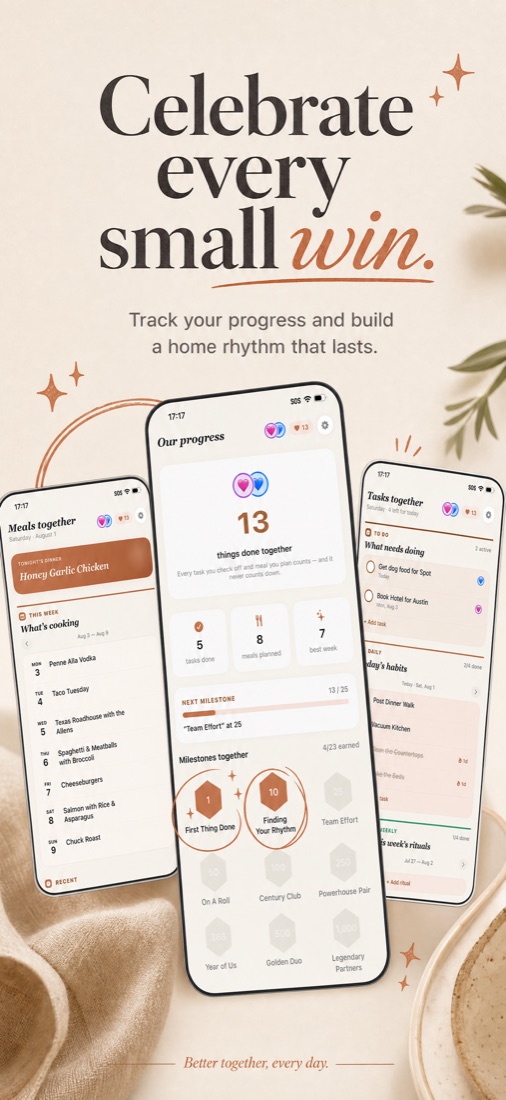
Progress

Celebrate every small win.

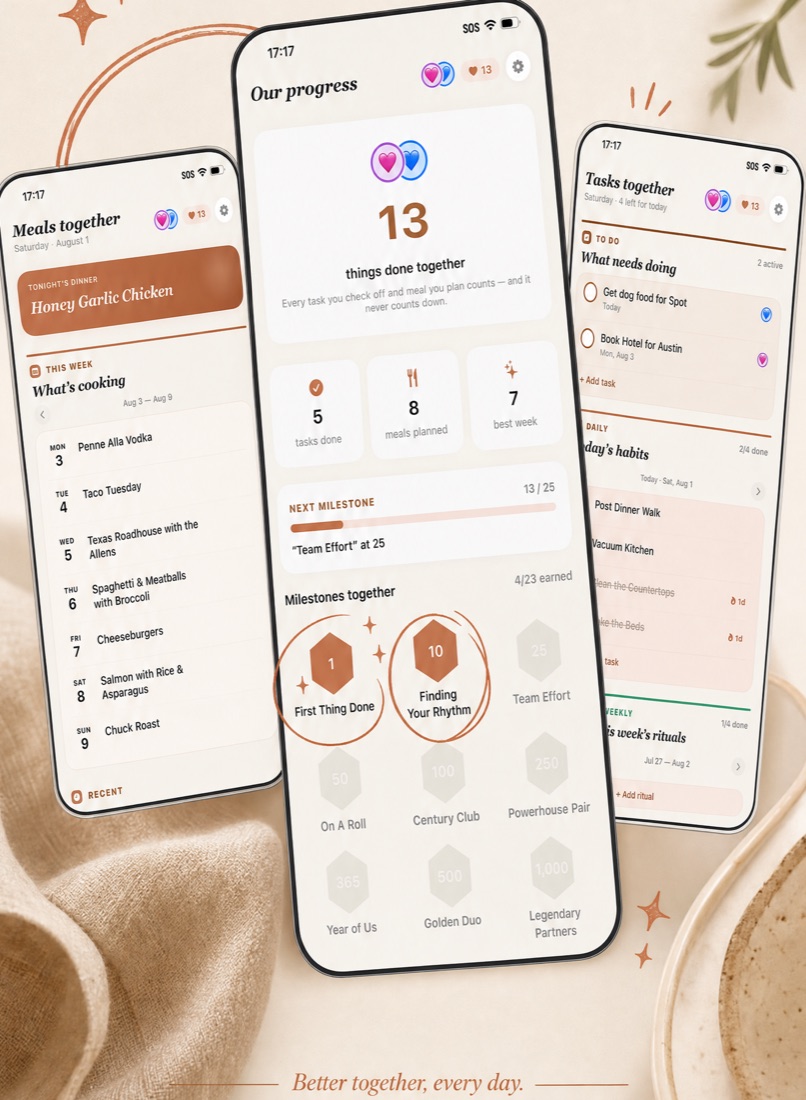
A single number for everything the two of you finish together. It only ever goes up. Cross a milestone and the app celebrates with you.

  • Milestones from "First Thing Done" to "Legendary"
  • Badges for tasks, meals and the days you both showed up
  • Progress rings for your daily, weekly and monthly habits
  • No streak to break, no scoreboard between partners
Progress screen with the together count and milestones
The home screen

Open the app, know the whole day.

Home pulls everything into one glance, and you choose which panels you want.

1

Today's focus

A short, warm prompt for the day and the things that need doing.

2

Coming up

Tonight's dinner, tomorrow's tasks and this week's events in one list.

3

Quick add

Jot down a task, a meal or a grocery in seconds without leaving Home.

4

Partner activity

A live feed of what your partner just did, so you stay in sync without asking.

5

Special dates

Countdowns to the trip, the wedding, the anniversary.

6

Optional nudges

Pick which pushes you want: task done, new task, meal updated, event added, partner joined. Or none.

How it works

Set up in two minutes.

1

Sign in

Continue with Google or Continue with Apple. No passwords, no phone number.

2

Create your household

Name it, pick your color and avatar, and share the six-character invite code with your partner by text.

3

Your partner joins

They enter the code and everything you add shows up on both phones instantly. A one-minute tour walks you both through the app.

One subscription covers your whole household. Only one of you subscribes. Your partner joins with the code and never pays.

Pricing

Free to download. Seven days free to try.

Wedulting Premium unlocks the full shared experience for your household. Every plan starts with a 7-day free trial.

Best valueYearlySave 55%
$69.99 / year

About $5.83 a month, versus $155.88 if you paid monthly. One subscription for both of you.

Monthly
$12.99 / month

Cancel anytime from your Apple Account.

Subscriptions are billed and managed through your Apple Account. Payment is charged at confirmation of purchase; the subscription renews automatically unless canceled at least 24 hours before the end of the current period. Any unused portion of a free trial is forfeited when you purchase a subscription. Terms of Use · Privacy Policy

Questions

Things people ask.

Do we both have to pay?

No. One subscription covers the whole household. Whoever subscribes first unlocks it for both phones, and your partner just joins with the invite code.

Is it on Android?

Not yet. Wedulting for iPhone is on the App Store now, and Android is coming soon. Questions about it: support@wedulting.com.

Can I use it on my own?

You can, and everything works. It shines once your partner joins, because that's when the "did you already do that?" texts stop.

How do I sign in?

Continue with Google or Continue with Apple. There are no passwords to remember and no phone number required.

How do I cancel?

In your Apple Account settings, under Subscriptions. You keep access until the end of the period you've paid for.

Can I delete my account and data?

Yes, from inside the app in Settings. It removes your account and, if you were the last person in the household, everything in it.

Privacy

Your home stays yours.

Wedulting collects what's needed to run the household features: your name, email, and the content you create in the app (tasks, meals, groceries, calendar entries), plus basic crash and usage diagnostics that keep the app reliable.

  • Visible only to you and your partner
  • No tracking across other apps, no selling your data
  • Delete everything from inside the app

Read the full Privacy Policy →

Contact

We answer our email.

Wedulting is built and operated by Briguy LLC. Feature ideas, bugs, billing questions, anything at all.

support@wedulting.com →

Ready?

Two homes. One plan.

Download Wedulting, invite your partner, and run your home as a team. Seven days free, then one subscription for both of you.

Download on the App Store
Get Wedulting · 7 days free